

Traditionally, we could only view error logs on the development server, which could potentially be deleted when the container restarts, making debugging painful. To address this issue, we use Grafana + Loki to simplify log viewing and search.
Grafana can be accessed at the https://grafana.trevapp.work, and for credentials please see the project note or ask the engineer
How to find log?
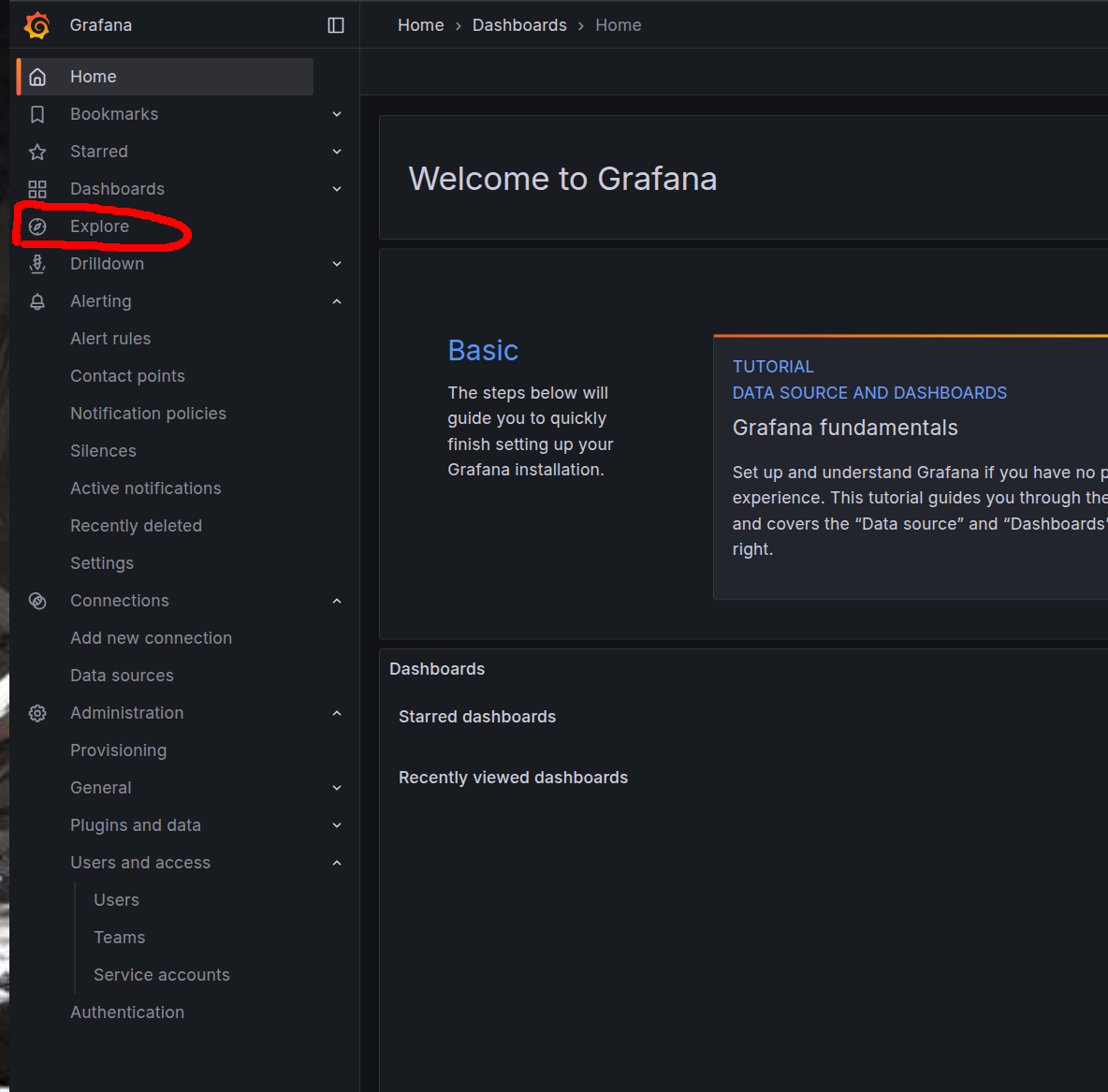
After logging in, you will be redirected to the homepage, then you can click Explore
on the filter label, you can select container_name and you can select which service you want to view the logs for.
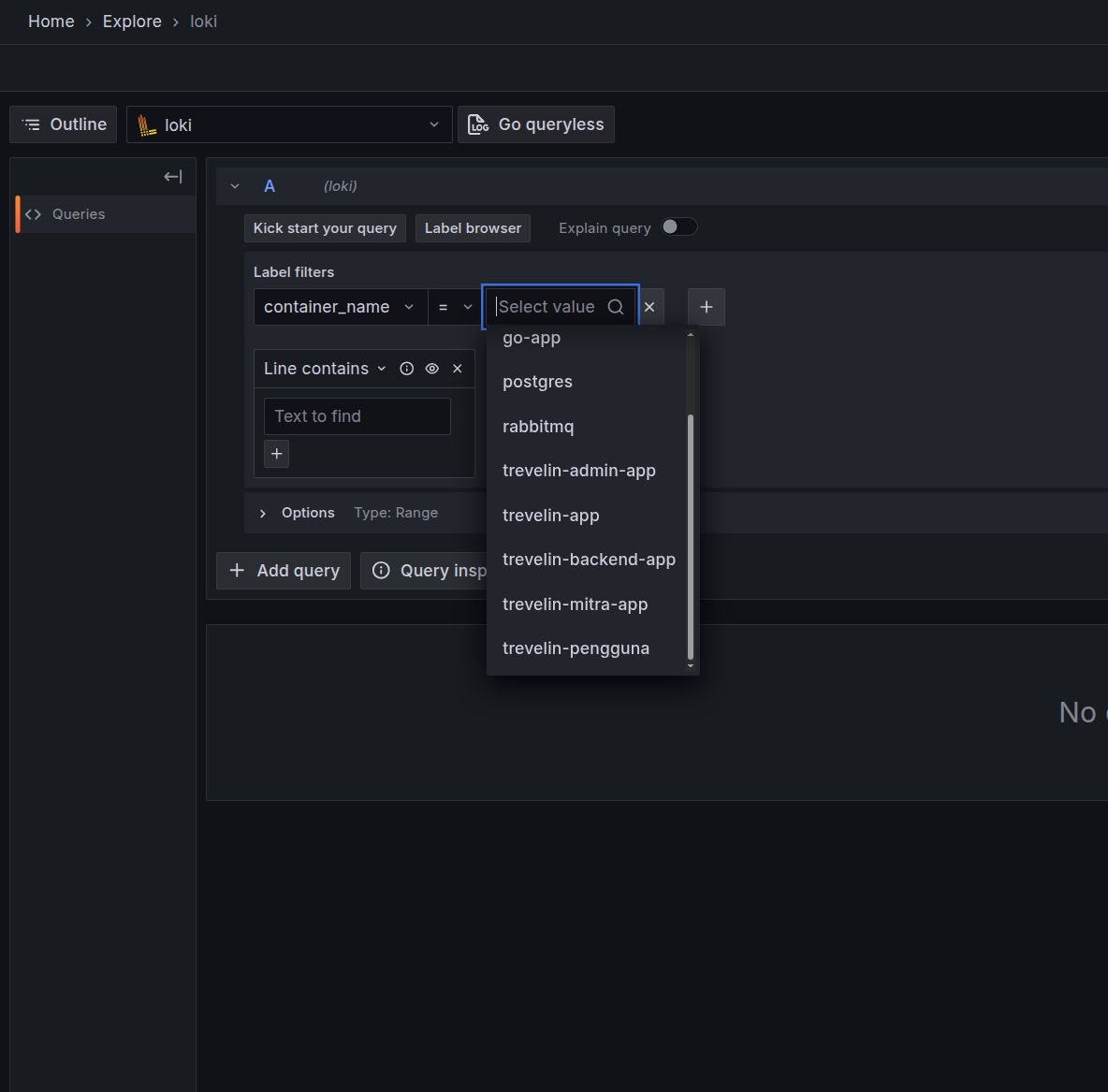
Note: If you click the container name dropdown and the service you're checking isn't there, it could be that the service didn't have any logs in the time range you selected. You can filter the time range in the top right corner. Logs are currently stored for a maximum of 14 days, after which they are periodically deleted.
take the example we will look at the backend logs, trevelin-backend-app.
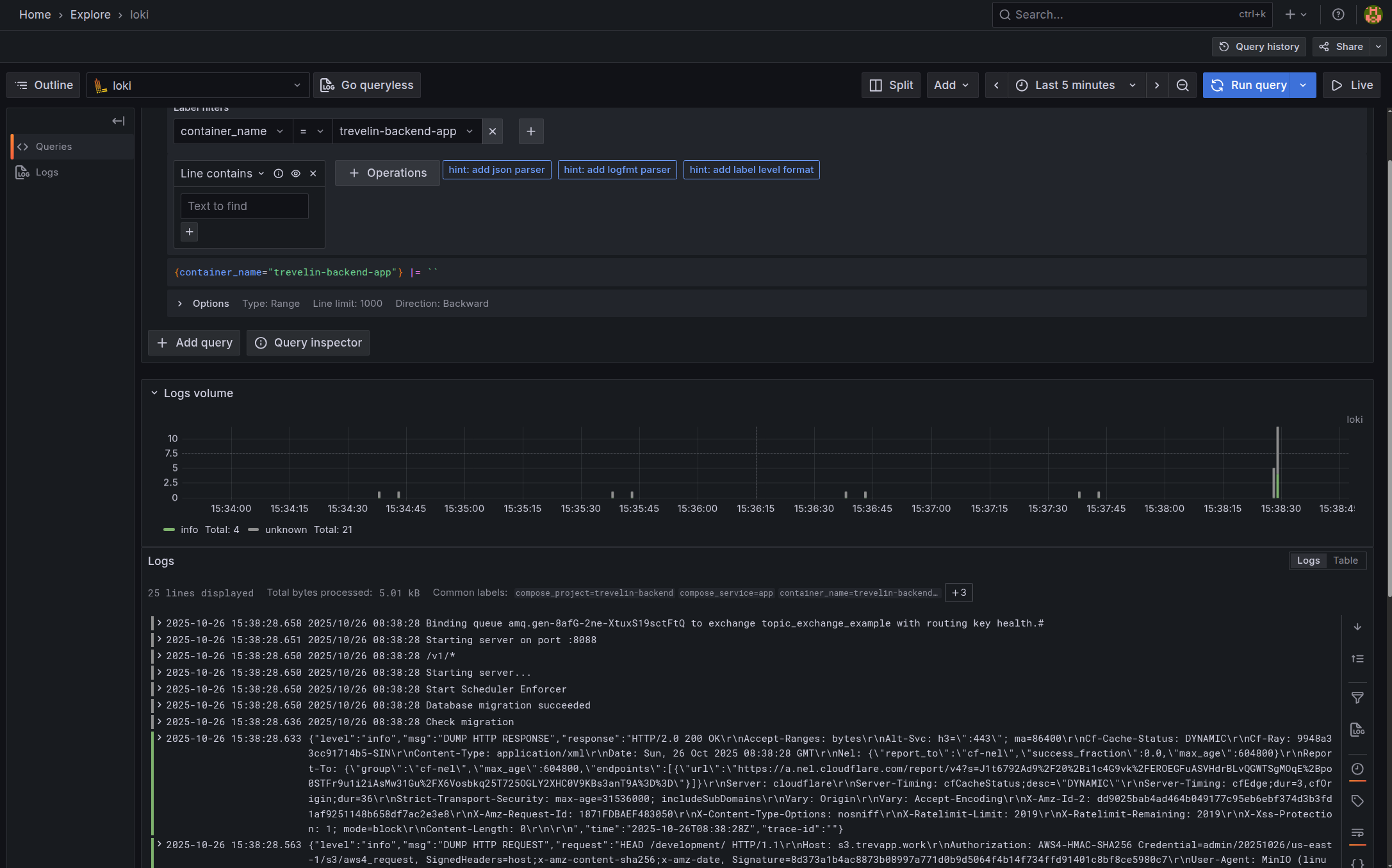
You can also search the log by keywords at that time, for example by request ID, error word, path, and so on.
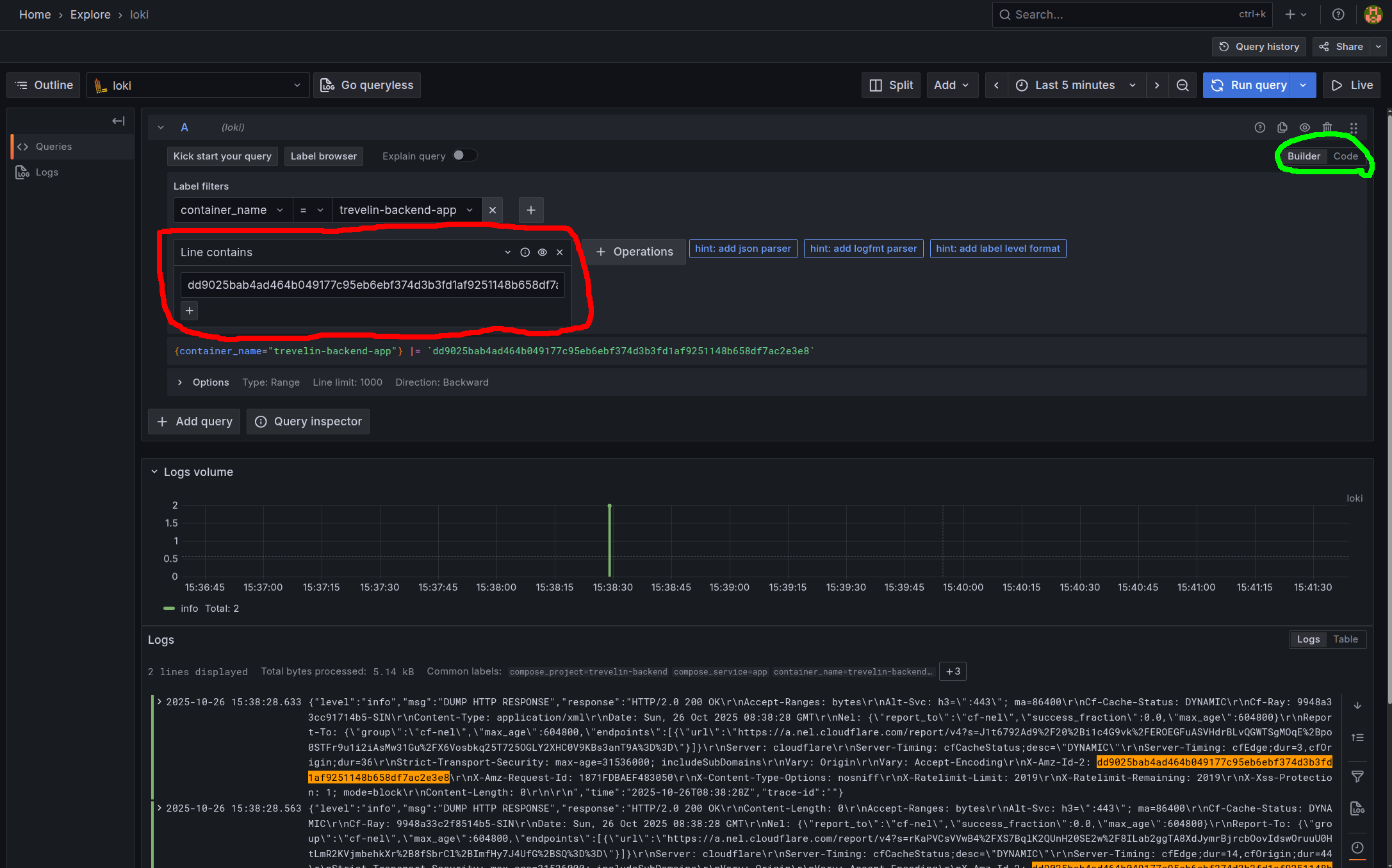
You can input text in the input circled in red. or if you want by code, you can replace it by clicking the green circled radio button to code.
with sintax like this
Code
After that, press the run query button again.